The Brief
RocketCloud AI started with a simple need: take video from wherever it already lives, strip away the friction, and get to something usable quickly. That might mean downloading the original media, clipping a section, extracting the audio, generating a transcript, or turning the whole thing into a readable summary.
The problem with a lot of media tools is not that they are incapable — it is that they are fragmented. One tool downloads. Another trims. Another transcribes. Another summarises. RocketCloud AI was built to collapse that workflow into one place.
What It Does
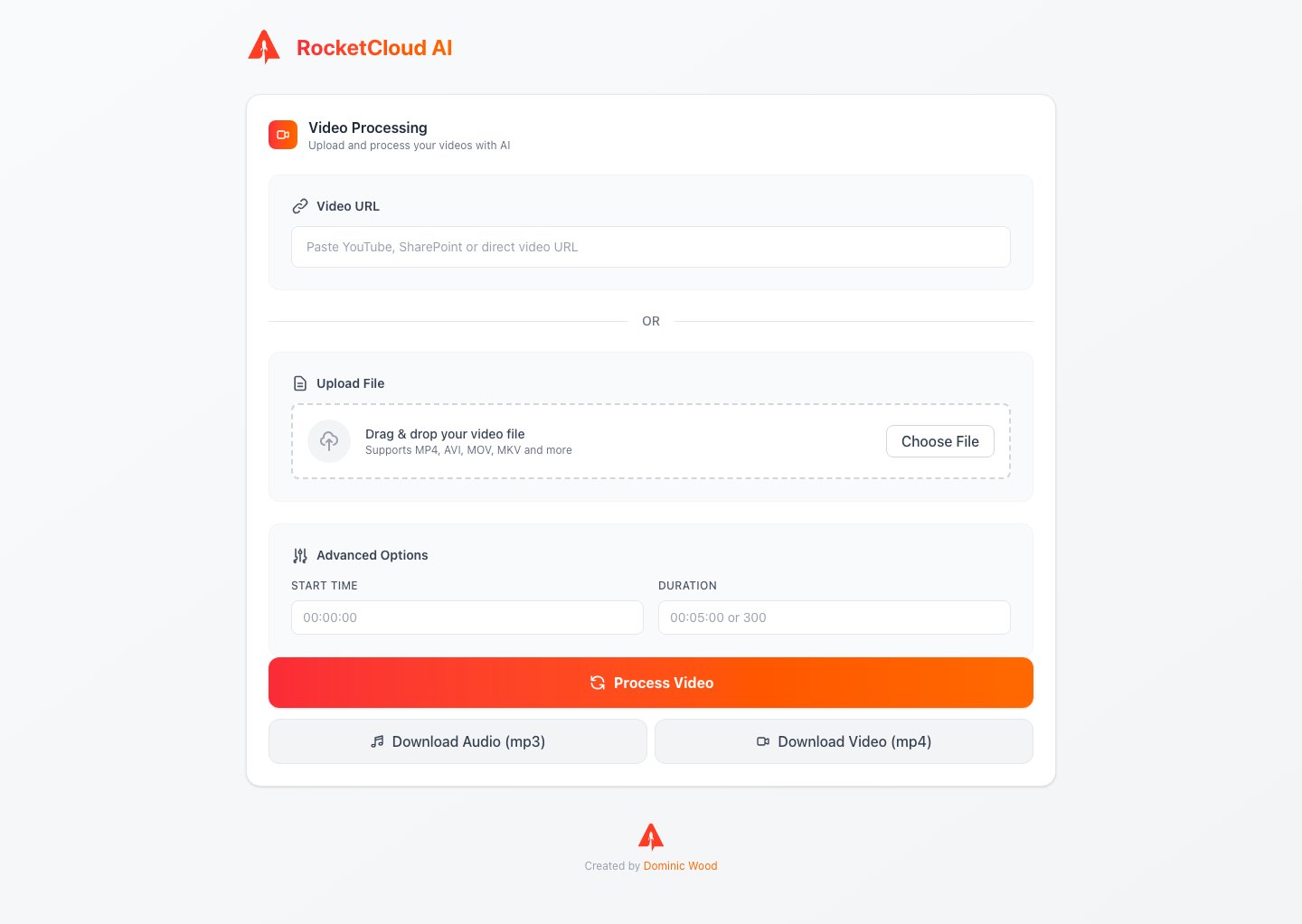
The interface supports two input paths: paste a media URL or upload a local file. From there, users can define a start time and duration, which allows the clip to be trimmed before any downstream processing happens.
RocketCloud then handles multiple outcomes from the same workflow. It can return downloadable audio as MP3, downloadable video as MP4, and AI-generated transcript and summary output for the same source. That means the product is useful for both media handling and content extraction — not just one or the other.
The frontend also supports authenticated SharePoint flows and recognises a wide range of source types, including direct uploads and common video platforms. The result is a single interface that feels equally at home with internal business recordings and public-facing media.
Design Decisions
The UI is intentionally centred around a single, high-focus workspace. Rather than scattering the workflow across multiple pages, the product keeps input, progress, and results tightly connected so the user always understands where they are in the process.
The orange-to-red gradient is reserved for the primary action, giving the app a clear focal point without overloading the rest of the interface. Secondary actions like downloads are quieter by design — useful, but not competing with the main workflow.
Processing feedback was treated as part of the experience, not an afterthought. The step-based progress states make a potentially opaque AI pipeline feel visible and structured, which matters when the user is waiting for work to complete.
Stack
Built with Next.js, React, and TypeScript on the frontend, with a FastAPI backend handling media processing, transcription, summarisation, and download coordination. The architecture supports both standard file workflows and authenticated enterprise-style sources such as SharePoint.